Edition 2
Abstract
Mono-spaced Bold
To see the contents of the filemy_next_bestselling_novelin your current working directory, enter thecat my_next_bestselling_novelcommand at the shell prompt and press Enter to execute the command.
Press Enter to execute the command.Press Ctrl+Alt+F2 to switch to a virtual terminal.
mono-spaced bold. For example:
File-related classes includefilesystemfor file systems,filefor files, anddirfor directories. Each class has its own associated set of permissions.
Choose → → from the main menu bar to launch Mouse Preferences. In the Buttons tab, select the Left-handed mouse check box and click to switch the primary mouse button from the left to the right (making the mouse suitable for use in the left hand).To insert a special character into a gedit file, choose → → from the main menu bar. Next, choose → from the Character Map menu bar, type the name of the character in the Search field and click . The character you sought will be highlighted in the Character Table. Double-click this highlighted character to place it in the Text to copy field and then click the button. Now switch back to your document and choose → from the gedit menu bar.
Mono-spaced Bold Italic or Proportional Bold Italic
To connect to a remote machine using ssh, typessh username@domain.nameat a shell prompt. If the remote machine isexample.comand your username on that machine is john, typessh john@example.com.Themount -o remount file-systemcommand remounts the named file system. For example, to remount the/homefile system, the command ismount -o remount /home.To see the version of a currently installed package, use therpm -q packagecommand. It will return a result as follows:package-version-release.
Publican is a DocBook publishing system.
mono-spaced roman and presented thus:
books        Desktop   documentation  drafts  mss    photos   stuff  svn
books_tests  Desktop1  downloads      images  notes  scripts  svgs
mono-spaced roman but add syntax highlighting as follows:
package org.jboss.book.jca.ex1;
import javax.naming.InitialContext;
public class ExClient
{
public static void main(String args[])
throws Exception
{
InitialContext iniCtx = new InitialContext();
Object ref = iniCtx.lookup("EchoBean");
EchoHome home = (EchoHome) ref;
Echo echo = home.create();
System.out.println("Created Echo");
System.out.println("Echo.echo('Hello') = " + echo.echo("Hello"));
}
}Note
Important
Warning
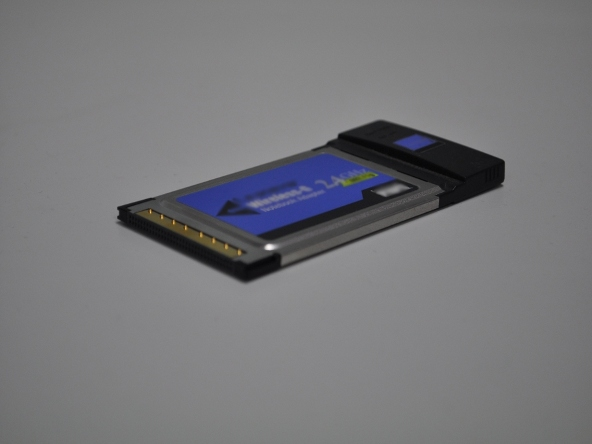
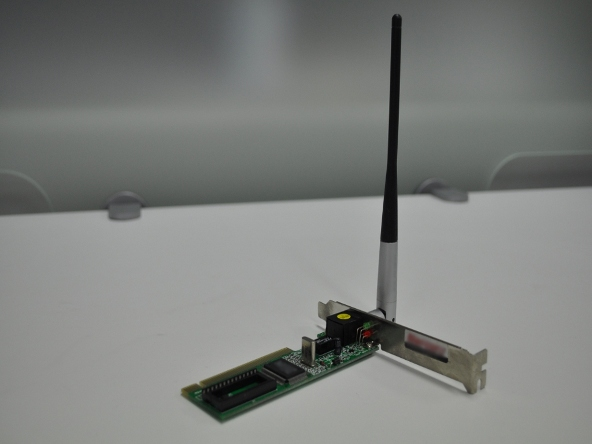
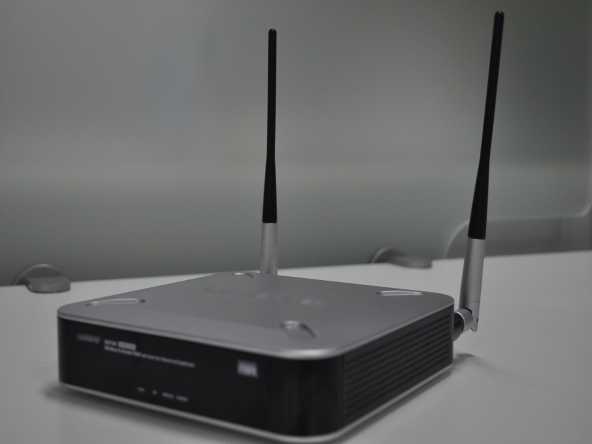
Table 3.1. IEE 802.11b and 802.11g Channel Frequencies
| Channel number | Center Frequency (GHz) |
|---|---|
| 1 | 2.412 |
| 2 | 2.417 |
| 3 | 2.422 |
| 4 | 2.427 |
| 5 | 2.432 |
| 6 | 2.437 |
| 7 | 2.442 |
| 8 | 2.447 |
| 9 | 2.452 |
| 10 | 2.457 |
| 11 | 2.452 |
~]$ nm-applet &
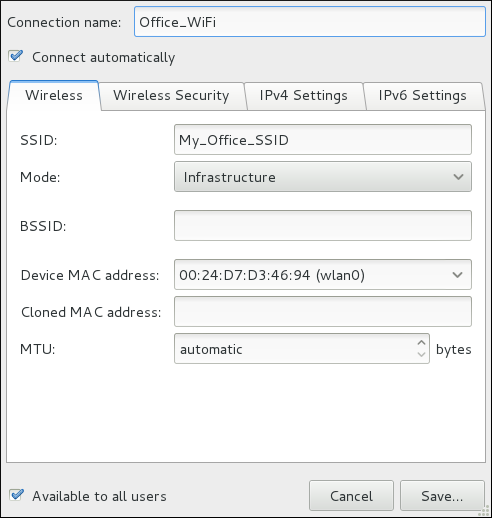
Procedure 5.1. Configuring NetworkManager to Connect to a Network Automatically When Detected
ip addr command will show the MAC address associated with each interface. For example, in the following ip addr output, the MAC address for the wlan0 interface (which is 00:1c:bf:02:f8:70) immediately follows the link/ether keyword:
~]# ip addr
1: lo: <LOOPBACK,UP,LOWER_UP> mtu 16436 qdisc noqueue state UNKNOWN
    link/loopback 00:00:00:00:00:00 brd 00:00:00:00:00:00
    inet 127.0.0.1/8 scope host lo
    inet6 ::1/128 scope host
       valid_lft forever preferred_lft forever
2: eth0: <BROADCAST,MULTICAST,UP,LOWER_UP> mtu 1500 qdisc pfifo_fast state UNKNOWN qlen 1000
    link/ether 52:54:00:26:9e:f1 brd ff:ff:ff:ff:ff:ff
    inet 192.168.122.251/24 brd 192.168.122.255 scope global eth0
    inet6 fe80::5054:ff:fe26:9ef1/64 scope link
       valid_lft forever preferred_lft forever
3: wlan0: <BROADCAST,MULTICAST,UP,LOWER_UP> mtu 1500 qdisc mq state UP qlen 1000
    link/ether 00:1c:bf:02:f8:70 brd ff:ff:ff:ff:ff:ff
    inet 10.200.130.67/24 brd 10.200.130.255 scope global wlan0
    inet6 fe80::21c:bfff:fe02:f870/64 scope link
valid_lft forever preferred_lft foreverip addr command, and then copy and paste that value into the MAC address text-entry field.
| Revision History | |||
|---|---|---|---|
| Revision 1.1-04 | 25 May 2012 | ||
| |||
| Revision 1.1-03 | 1 Mar 2010 | ||
| |||
| Revision 1.1-02 | 6 Jan 2010 | ||
| |||
| Revision 1.1-01 | 16 Nov 2009 | ||
| |||
| Revision 1.0-01 | 12 Nov 2009 | ||
| |||